
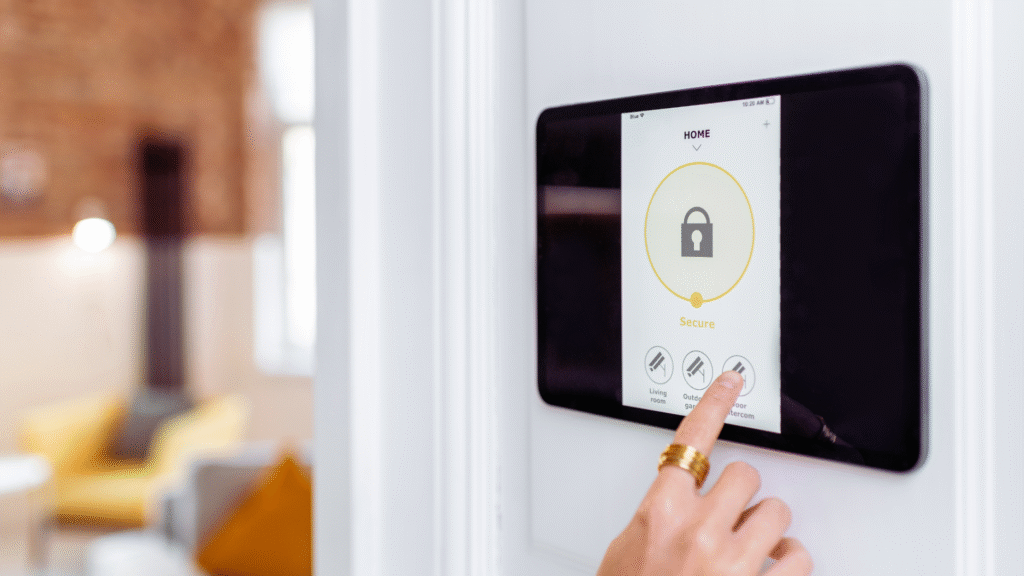

Securing a home network is essential for protecting personal information and ensuring online safety. The best practices for achieving this include regularly updating router firmware, using strong, unique passwords, and enabling network encryption. With the increasing number of connected devices in households, neglecting network security can expose individuals to various cyber threats.
A well-configured home network acts as the first line of defense against potential intrusions. Implementing features like a guest network can help limit access for visitors while keeping primary devices secure. Additionally, reviewing connected devices regularly can help identify unauthorized access and respond quickly.
Understanding how to strengthen home network security not only protects personal data but also enhances overall internet performance. Choosing the right security settings and practices can make a significant difference in how safe one feels online.
Fundamental Steps to Secure Your Home Network
Securing a home network involves several essential practices. Key actions include changing default passwords, enabling strong passwords, and regularly updating network devices. These steps can significantly enhance the security posture of any home network.
Change Default Passwords
Default passwords for network devices are widely known and pose a security risk. If a device, such as a router or camera, is still using the factory-set password, it can be easily exploited by attackers.
To change default passwords, log into the device’s settings using its IP address. Look for the “Administration” or “Security” section. Once there, create a unique password that combines uppercase letters, lowercase letters, numbers, and special characters. This creates a robust defense against unauthorized access. Remember to document new passwords in a secure location.
Enable Strong Passwords
Implementing strong passwords is a critical component of network security. Weak passwords can be easily cracked using brute force attacks. A strong password should contain a minimum of 12 characters and incorporate a variety of character types to enhance complexity.
To create a strong password, encourage using a mix of letters, numbers, and symbols. Avoid easily guessable information such as birthdays or common words. Tools like password managers can help generate and store complex passwords securely. Enable two-factor authentication where available for added protection.
Update Network Devices Regularly
Keeping network devices updated is vital for security. Manufacturers often release firmware updates to patch vulnerabilities. Neglecting these updates can leave devices open to attacks.
Set devices to receive automatic updates whenever possible. This ensures that security patches are applied without manual intervention. Regularly check for updates on devices that do not support automatic updates by visiting the manufacturer’s website. Scheduling routine check-ins can maintain vigilance in the security landscape.
Configuring WiFi Security Settings
Proper configuration of WiFi security settings is essential for protecting a home network. This involves enabling strong encryption, securing the network name, and managing guest access. The following practices will enhance the security of the home network.
Enable WPA2 or WPA3 Encryption
Enabling WPA2 or WPA3 encryption is crucial for securing a WiFi network. These protocols provide robust security features that protect data transmitted over the network. WPA3 is the latest standard and offers improved security against brute-force attacks.
To activate this feature, access the router’s settings through its IP address, usually found in the user manual. Look for the wireless security settings and select either WPA2 or WPA3. Use a strong password for added protection, typically a combination of letters, numbers, and special characters. Regularly updating the router firmware also helps in maintaining security.
Secure Your SSID
Securing the SSID (Service Set Identifier) is another important step. The SSID is the network name that users see when connecting to WiFi. To enhance security, avoid using personal information in the SSID. Opt for a generic or unique name instead.
Additionally, it is advisable to disable the SSID broadcast feature. This prevents the network from being visible to casual users, making it harder for attackers to find the network. Some routers also allow hiding the SSID entirely, which can be an additional layer of protection.
Set Up a Guest Network
Creating a guest network is an effective way to manage access for visitors. This separate network restricts guest users from accessing the primary network and its devices. It protects sensitive information from unauthorized access.
To set up a guest network, access the router settings and look for the guest network option. Enable it and configure a unique password. Limit the guest network’s bandwidth if needed to prevent it from affecting the primary network’s performance. Regularly change the guest network password to enhance security further.
Advanced Network Protection Strategies
Implementing advanced network protection strategies is essential for maintaining cybersecurity. Effective measures include deploying firewalls, installing antivirus software, and utilizing VPN services. Each of these elements plays a crucial role in safeguarding personal information and network integrity.
Use a Firewall
A firewall serves as a barrier between an internal network and external threats. It monitors incoming and outgoing traffic based on predetermined security rules. By filtering data packets, it blocks unauthorized access and helps prevent security breaches.
Firewall options include hardware and software solutions.
- Hardware Firewalls: Installed between a modem and router. These provide a robust defense for all connected devices.
- Software Firewalls: Installed on individual computers. They offer customizable protection tailored to user needs.
Regularly updating firewall settings enhances protection against evolving threats such as phishing attacks. He should ensure that logging features are enabled to track intrusion attempts, facilitating better response strategies.
Install Antivirus Software
Antivirus software detects, quarantines, and eliminates malware from devices. This protection is vital for defending against various cyber threats, including viruses and ransomware.
Key features to consider in antivirus software include:
- Real-time Scanning: Monitors files and downloads for potential threats.
- Automated Updates: Ensures that the software recognizes the latest malware variants.
- Phishing Protection: Often includes tools to identify and block suspicious emails and links.
Regular system scans should be conducted to identify and remove hidden threats. An effective antivirus program can operate silently in the background while allowing regular system performance, ensuring minimal disruption during usage.
Leverage a VPN for Privacy
A Virtual Private Network (VPN) encrypts internet connections, providing users with greater privacy and security. It masks the user’s IP address, preventing unauthorized tracking and potentially mitigating data exposure.
Using a VPN is particularly beneficial for:
- Public Wi-Fi Access: Protects sensitive information while connected to unsecured networks.
- Bypassing Geo-restrictions: Allows users to access region-restricted content anonymously.
Choosing a reputable VPN service is crucial. Look for one with a strict no-logs policy and strong encryption protocols. Regularly checking for DNS leaks can ensure that the VPN is effectively protecting the user’s identity online.
Managing Devices and Detecting Threats
Effective management of devices and proactive threat detection are crucial for maintaining a secure home network. This involves monitoring connected devices, reducing vulnerabilities, and managing access controls.
Monitor Internet of Things Devices
Internet of Things (IoT) devices can pose significant risks if not monitored effectively. These devices often collect personal information and are targets for cybercriminals.
To enhance security, individuals should:
- Change default passwords on IoT devices immediately.
- Regularly check for software updates to protect against known vulnerabilities.
- Utilize network monitoring tools to identify unauthorized access attempts.
Configuring alerts for unusual activity can help detect potential threats before they escalate. Regularly reviewing connected devices aids in recognizing any that are no longer in use and should be removed.
Reduce File Sharing Vulnerabilities
File sharing can expose sensitive information and create weaknesses in home networks. It is essential to implement strict controls to mitigate these risks.
To reduce vulnerabilities:
- Limit file sharing settings on devices.
- Use encryption tools to secure shared files.
- Regularly audit shared files and access permissions to ensure that only authorized individuals have access.
Educating users about safe file-sharing practices can help prevent malware infections and protect personal data from theft. Implementing these measures seriously limits exposure to malicious software and unauthorized access.
Disable Remote Access When Not Needed
Remote access functionalities can be convenient but also increase security risks. Keeping remote access enabled can open the door to hackers and identity theft.
To manage this risk:
- Disable remote access settings on all devices when not actively in use.
- If remote access is necessary, utilize strong passwords and two-factor authentication.
- Regularly review access logs to identify any unusual activity.
Implementing these practices helps secure the home network against unauthorized access. Taking proactive measures can significantly reduce a home’s vulnerability to cyber threats.